
Getting Started with ASP.NET Core Web API - Improving Enum Comments
When creating an ASP.NET Core Web API project, enabling "OpenAPI support" automatically installs the Swashbuckle.AspNetCore Swagger package. However, this package does not currently support displaying comments for Enum members. This makes it difficult for API consumers to understand the meaning of parameters and return values. Even adding comments to properties that use Enums has no effect.
Consider the following code as an example:
[ApiController]
[Route("[controller]")]
public class TestEnumController : ControllerBase {
    [HttpPost]
    public Output Post([FromBody] Input input) {
        return new Output {
            Week = input.Week,
        };
    }
}

/// <summary>
/// The input.
/// </summary>
public class Input {
    /// <summary>
    /// Gets or sets the week.
    /// 0: Sunday
    /// 1: Monday
    /// 2: Tuesday
    /// 3: Wednesday
    /// 4: Thursday
    /// 5: Friday
    /// 6: Saturday
    /// </summary>
    public Week Week { get; set; }

    /// <summary>
    /// Gets or sets the name.
    /// </summary>
    public string Name { get; set; }
}

/// <summary>
/// The Output.
/// </summary>
public class Output {
    /// <summary>
    /// Gets or sets the week.
    /// </summary>
    public Week Week { get; set; }
}

/// <summary>
/// Week
/// </summary>
public enum Week {
    /// <summary>
    /// The sunday
    /// </summary>
    Sunday,
    /// <summary>
    /// The monday
    /// </summary>
    Monday,
    /// <summary>
    /// The tuesday
    /// </summary>
    Tuesday,
    /// <summary>
    /// The wednesday
    /// </summary>
    Wednesday,
    /// <summary>
    /// The thursday
    /// </summary>
    Thursday,
    /// <summary>
    /// The friday
    /// </summary>
    Friday,
    /// <summary>
    /// The saturday
    /// </summary>
    Saturday
}As you can see, the name property in Input has comments, but the week property lacks both Enum member comments and property-level comments.
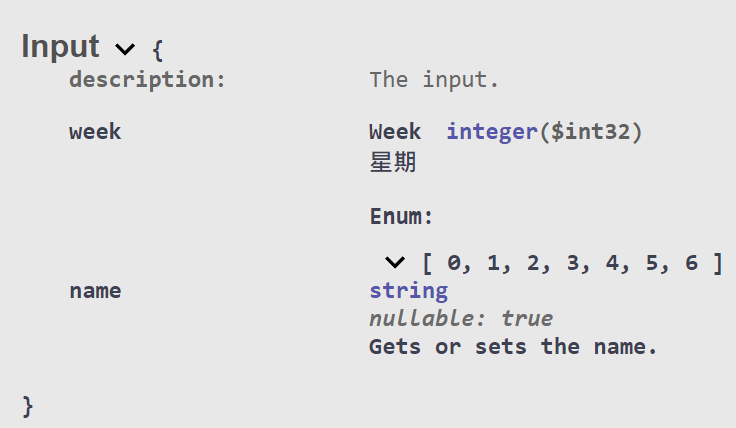
Some developers choose to replace Enum values with Enum names by using JsonStringEnumConverter to allow string input and output for Enums, adjusting the code as follows:
/// <summary>
/// The input.
/// </summary>
public class Input {
    /// <summary>
    /// Gets or sets the week.
    /// 0: Sunday
    /// 1: Monday
    /// 2: Tuesday
    /// 3: Wednesday
    /// 4: Thursday
    /// 5: Friday
    /// 6: Saturday
    /// </summary>
    [JsonConverter(typeof(JsonStringEnumConverter))]
    public Week Week { get; set; }

    /// <summary>
    /// Gets or sets the name.
    /// </summary>
    public string Name { get; set; }
}

/// <summary>
/// The Output.
/// </summary>
public class Output {
    /// <summary>
    /// Gets or sets the week.
    /// </summary>
    [JsonConverter(typeof(JsonStringEnumConverter))]
    public Week Week { get; set; }
}With this change, the input method for Enums is expanded to support both Enum values and names, and the return value is also converted to the Enum name. However, the Swagger documentation remains unchanged.
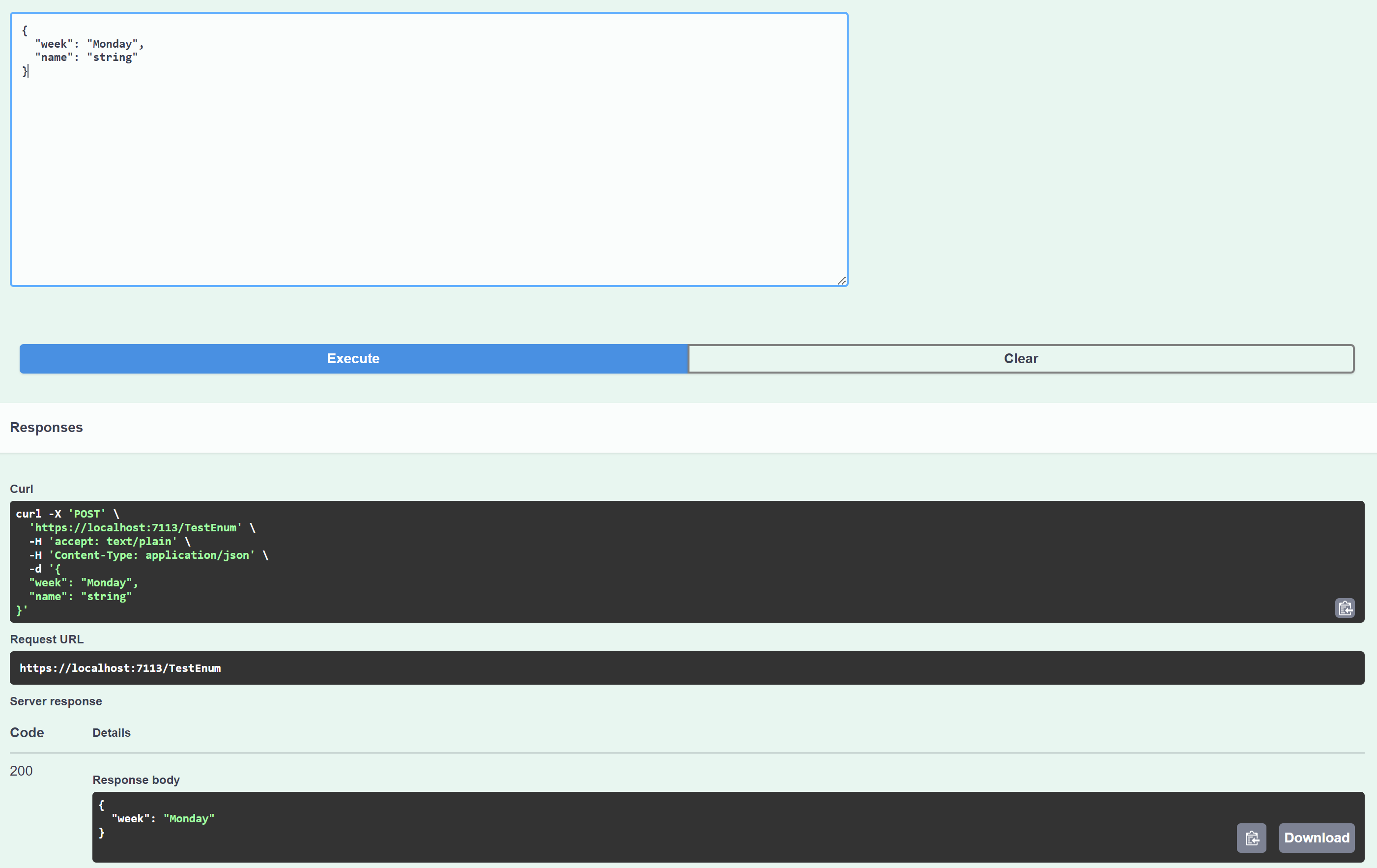
To improve this, remove the JsonStringEnumConverter from the DTO settings and configure it in Program.cs instead:
builder.Services.AddControllers()
    .AddJsonOptions(options => {
        options.JsonSerializerOptions.Converters.Add(new JsonStringEnumConverter());
    }
);With this adjustment, the input and output results are consistent with the property-level settings, but the Swagger documentation changes from an int array to a string array, as shown below:
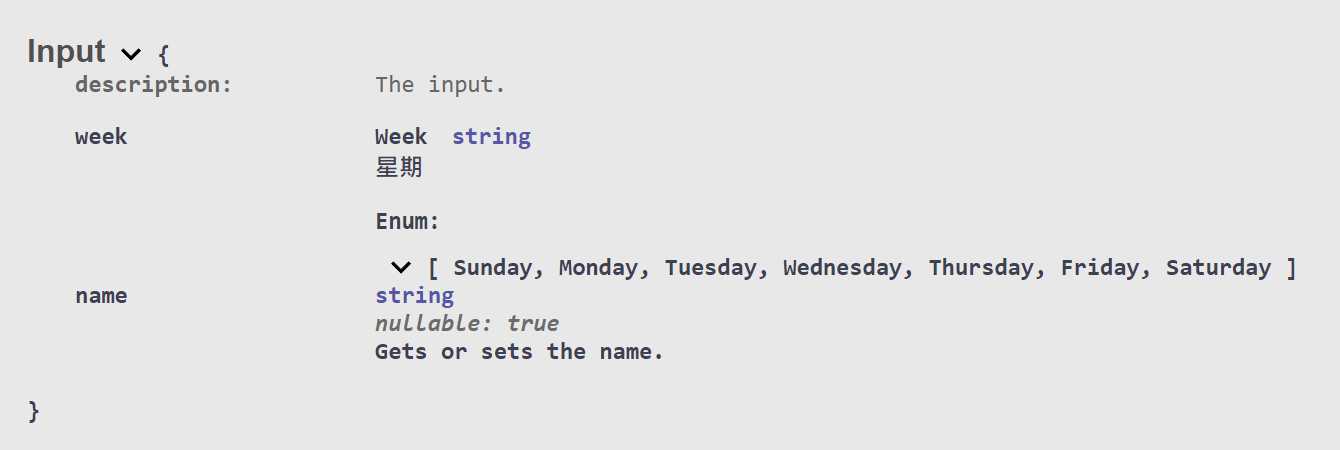
Although this approach adds flexibility by supporting both Enum values and names, having the return value as an Enum name has pros and cons. While it is easier to understand than a numeric value, strings increase the risk of input errors by the consumer. Personally, I prefer using Enum values for transmission, so I still wanted to find a way to make Swagger display the Enum comments.
Following the reference from this article SwaggerUI not display enum summary description, C# .net core?, I made the following adjustments:
/// <summary>
/// Swagger schema filter to modify description of enum types so they
/// show the XML docs attached to each member of the enum.
/// </summary>
public class EnumSchemaFilter : ISchemaFilter {
    private readonly XDocument xmlComments;

    /// <summary>
    /// Initialize schema filter.
    /// </summary>
    /// <param name="xmlComments">Document containing XML docs for enum members.</param>
    public EnumSchemaFilter(XDocument xmlComments) {
        this.xmlComments = xmlComments;
    }

    /// <summary>
    /// Apply this schema filter.
    /// </summary>
    /// <param name="schema">Target schema object.</param>
    /// <param name="context">Schema filter context.</param>
    public void Apply(OpenApiSchema schema, SchemaFilterContext context) {
        Type enumType = context.Type;

        if (!enumType.IsEnum) {
            return;
        }

        // Avoid adding descriptions repeatedly
        if (schema.Description?.Contains("<p>Possible values:</p>") == true) {
            return;
        }

        StringBuilder sb = new(schema.Description);

        sb.AppendLine("<p>Possible values:</p>");
        sb.AppendLine("<ul>");

        foreach (string enumMemberName in Enum.GetNames(enumType)) {
            string fullEnumMemberName = $"F:{enumType.FullName}.{enumMemberName}";

            string enumMemberDescription = xmlComments.XPathEvaluate(
              $"normalize-space(//member[@name = '{fullEnumMemberName}']/summary/text())"
            ) as string;

            if (string.IsNullOrEmpty(enumMemberDescription)) {
                continue;
            }

            long enumValue = Convert.ToInt64(Enum.Parse(enumType, enumMemberName));

            // Decide whether to use the Enum value or the Enum name
            sb.AppendLine($"<li><b>{enumValue}[{enumMemberName}]</b>: {enumMemberDescription}</li>");
        }

        sb.AppendLine("</ul>");

        schema.Description = sb.ToString();
    }
}

// Add custom Swagger Filter settings in Program.cs
builder.Services.AddSwaggerGen(options => {
    foreach (string xmlFile in Directory.GetFiles(AppContext.BaseDirectory, "*.xml")) {
        // Change from simple IncludeXml to loading XML and using a Filter
        XDocument xmlDoc = XDocument.Load(xmlFile);
        options.IncludeXmlComments(() => new XPathDocument(xmlDoc.CreateReader()), true);
        options.SchemaFilter<EnumSchemaFilter>(xmlDoc);
    }
});The result is shown below; the Enum comments are now successfully displayed.
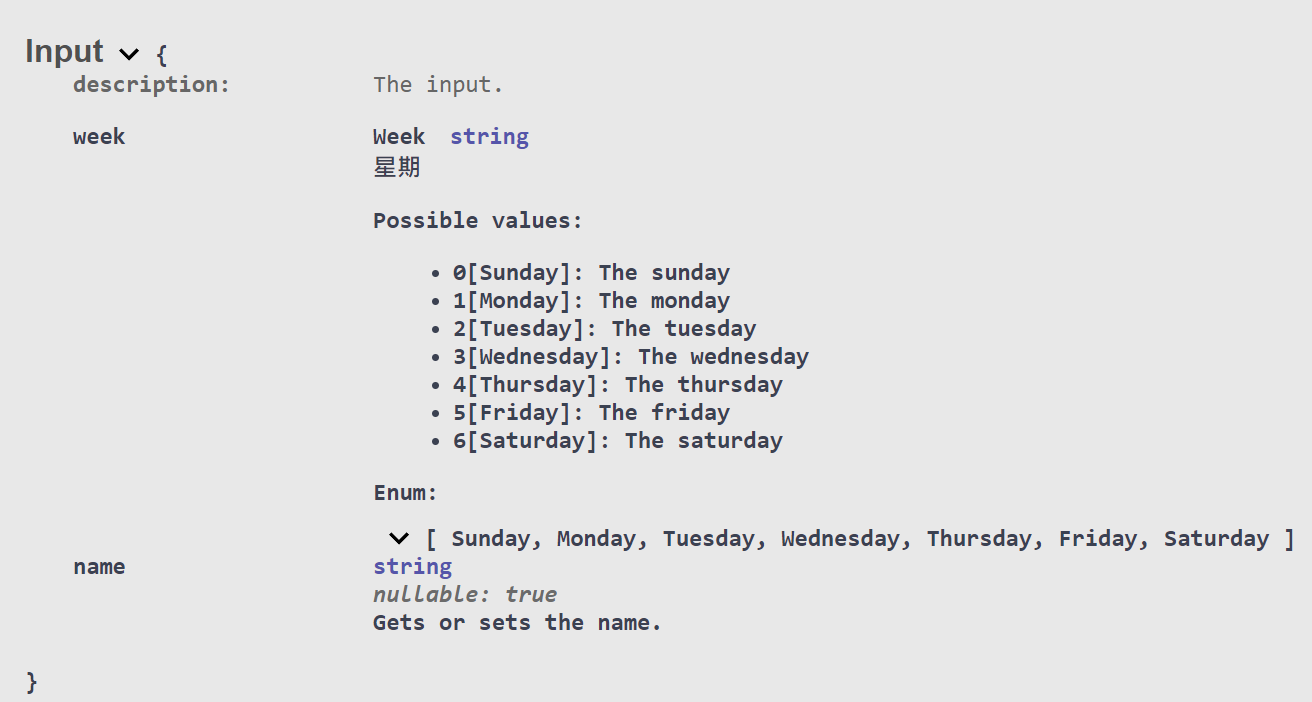
There is another article online, Adding readable Enum documentation to Swagger, which suggests handling schema.Enum within the Apply method of ISchemaFilter, but this affects the default values for Swagger input. The result of that approach is as follows:
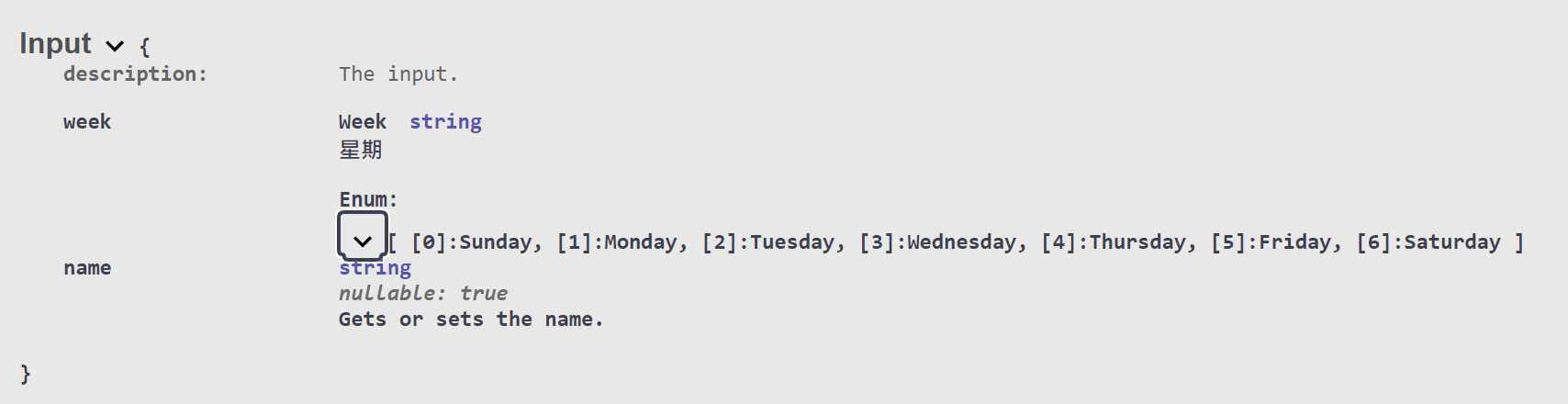
The default value for Swagger Input displays the first OpenApiString in schema.Enum.

Change Log
- 2024-04-10 Initial document creation.
- 2025-01-16 Fixed a bug where
EnumSchemaFilterwould repeatedly add Enum item descriptions.